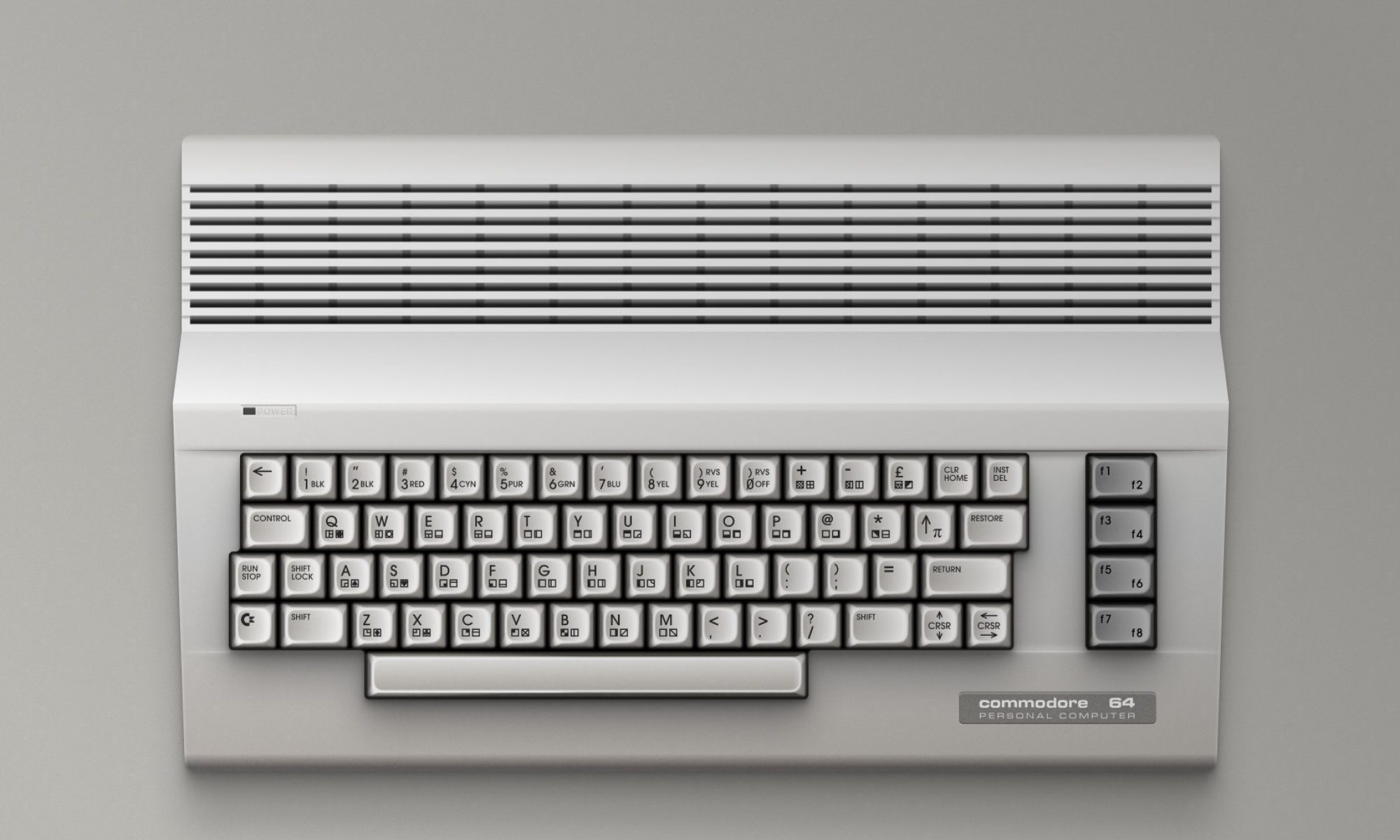
While the Commodore 64 (C64) originally shipped only with KERNAL (firmware-level routines) and Commodore BASIC V2, the creativity of developers and hobbyists pushed it far beyond its starting point. Several systems and environments have given the C64 GUI desktops, multitasking, fast I/O, and even modern networking.
GEOS (Graphic Environment Operating System)
- Released: 1986 — Berkeley Softworks
- Features: Icon-and-window GUI, mouse support, bundled apps (geoWrite word processor, geoCalc spreadsheet), disk and printer tools.
- Why it mattered: Made the C64 a credible home-office machine.
- Popularity: Sold millions; the most successful C64 OS.
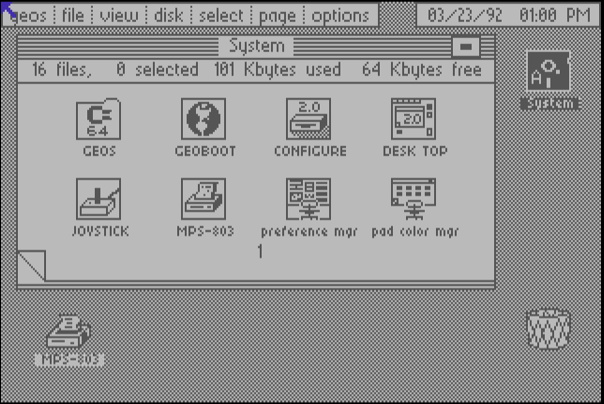
Borrowed its overall look‑and‑feel from the early Apple Macintosh, and used disk‑based “virtual memory” to work around the C64’s 64 KB limit. Included a desk accessory format that allowed mini‑apps (like a calculator or notepad) to be invoked even while another program was running.
Wheels
- Developer: Maurice Randall
- Description: Enhanced successor to GEOS.
- Features: Faster performance, better memory handling, modernized look, compatible with many GEOS apps.
- Why it mattered: Brought the GEOS concept into a sleeker, faster package for advanced users.
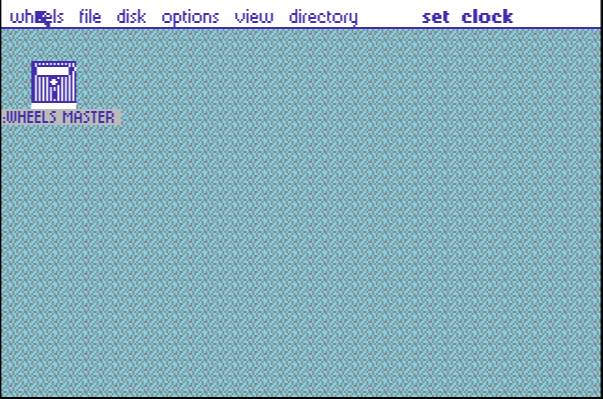
Was built with unofficial hardware expansions in mind, gaining compatibility with various rare RAM and accelerator cards without official specs. Added support for mouse scroll‑wheel emulation via certain enhanced controllers, something never officially present in GEOS.
MegaPatch 3 (MP3)
- Description: Major GEOS extension.
- Features: Expanded memory support, improved UI, additional system tools.
- Why it mattered: Pushed the GEOS ecosystem to its technical limits.
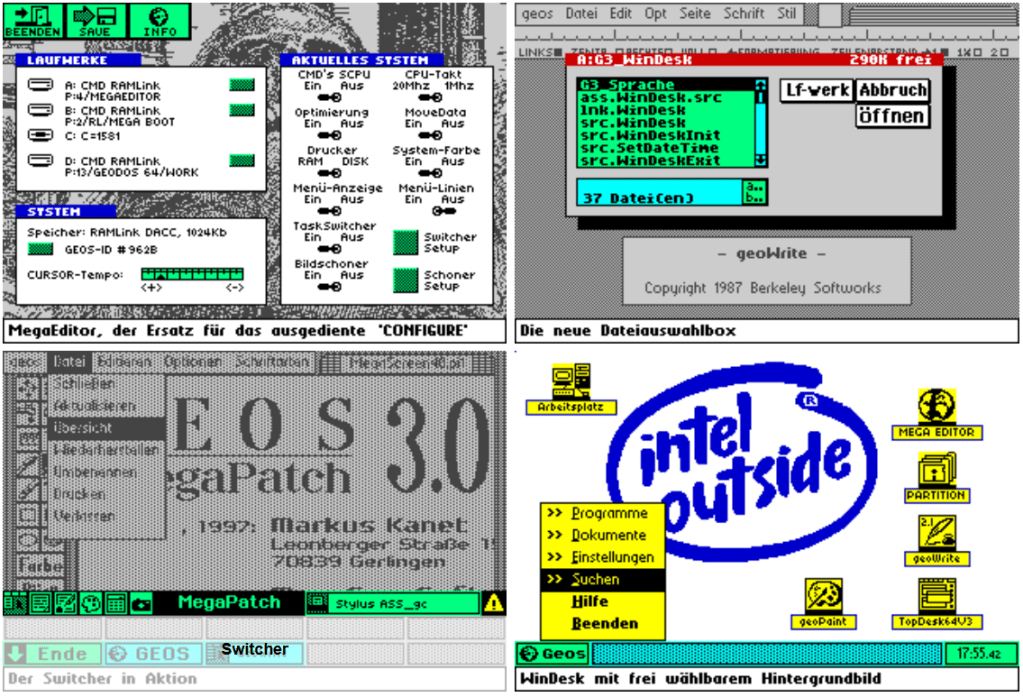
Expanded colour management so users could apply brighter, more customised palettes than standard GEOS allowed. Enabled loading and fast‑switching between multiple desktop wallpaper patterns, adding extra visual customization.
Contiki
- Developer: Adam Dunkels (early 2000s, C64-compatible)
- Features: Multitasking microkernel, built‑in TCP/IP stack, lightweight web browser and network tools.
- Why it mattered: Proved the C64 could handle internet and networking decades after launch.
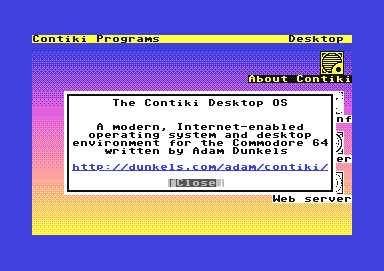
Used extremely small (under 2 KB) network drivers so they could fit into the tiniest free RAM areas and keep system load minimal. Came with a built‑in Telnet client, allowing direct login to remote systems’ shells.
CS‑DOS and JiffyDOS
- Type: DOS/firmware enhancements rather than full OSs.
- CS‑DOS: For CMD hard drives and FD‑series floppies — faster disk ops, extended commands.
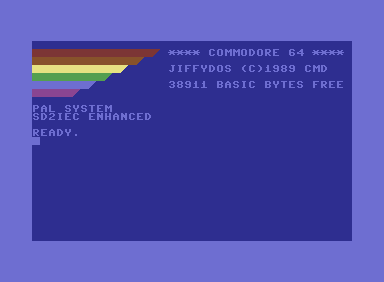
- JiffyDOS: Firmware upgrade for C64 and 1541 drives — dramatically faster file access, better DOS command set.
- Why they mattered: Removed the C64’s biggest bottleneck: slow disk I/O.
CS‑DOS – Supported long filenames, far beyond the 16‑character limit of the 1541 DOS, which made directories more descriptive. Could handle multiple file copies in “batch” mode, a rarity in the 8‑bit era.
JiffyDOS – Contained a hidden @X command that could dump the drive’s in‑memory operating code for developer debugging. Featured an automatic directory repeat command (@$) to re‑list the disk directory without re‑typing the request.
Action Replay
- Type: “Super cartridge” (Datel, from 1986, multiple generations: MK1–MK6)
- Core features: Freeze & snapshot, fast loading, machine‑code monitor/debugger, extended BASIC commands, simple menu interface
- Hardware: 16–32 KB ROM, later 8 KB RAM, Freeze/Reset buttons, bank switching
- Significance: v4.x–v6 became a de facto standard in the C64 gaming and demoscene community
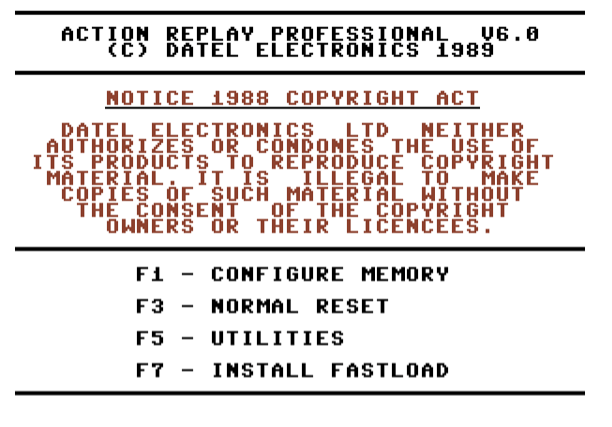
Beyond its well‑known freeze, fast‑load and debugging abilities, the Action Replay also offered a handful of subtle conveniences. Certain versions came with a lightweight print‑spooling function, letting you keep working while output was sent to the printer. A small keystroke‑macro recorder allowed semi‑automation of repetitive commands, and the cartridge’s architecture accepted plug‑in extension programs that could be launched directly from the Freeze menu. Its hardware design was flexible enough to run on partially compatible boards like the Nordic Power, and on NTSC machines the fast‑load routines could be tuned for better stability when speed created glitches.
The Final Cartridge III
- Released: 1987 — RISKA/BENELUX/Engelmann
- Type: “Super cartridge” firmware enhancement with OS‑like features.
- Features: Faster BASIC, built‑in monitor/debugger, freeze‑and‑save function, simple GUI desktop with icons and menus (mouse‑compatible).
- Why it mattered: Hugely popular; for many users, it felt like a real OS thanks to its graphical shell and powerful tools.
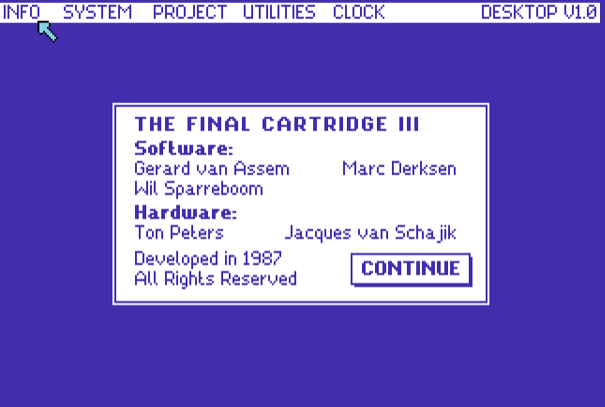
Shipped with a lightweight print spooler so you could keep working while documents were still being sent to the printer. Included a simple keystroke‑macro recorder to automate repetitive tasks semi‑automatically.
C64 OS (Modern)
Official site: c64os.com
Developer: Greg Nacu (active project since 2020)
Features: Modular, extensible applications, fast menu system, windowed GUI, modern storage device support (SD2IEC, CMD, IDE64), task switching.
Why it matters: Brings a genuine, modern OS experience to the C64 today.
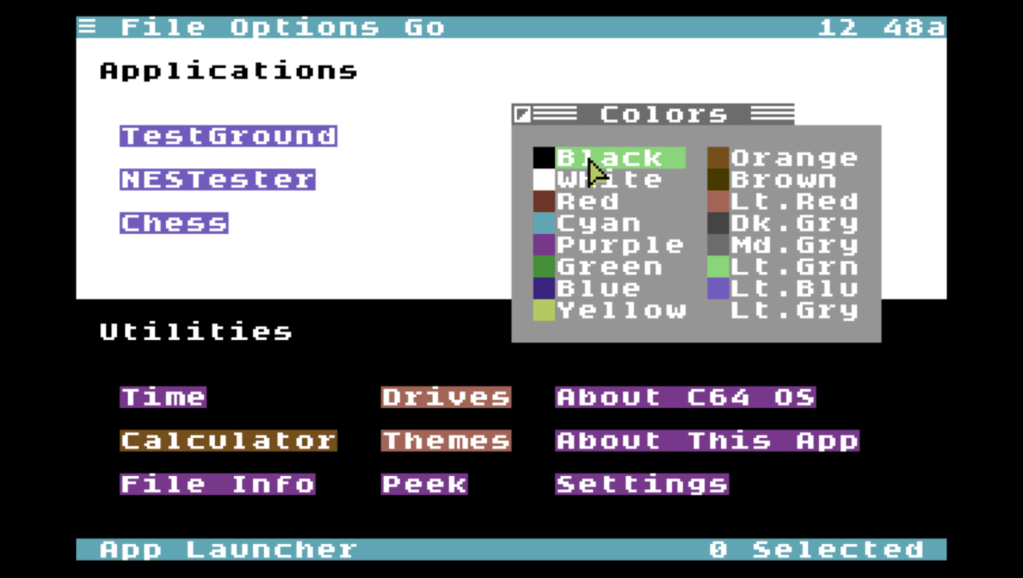
Its module system allows updating only the changed modules rather than reinstalling the whole OS, reducing downtime. Thanks to its modular file‑system driver model, it can mount multiple different storage devices (e.g. SD, IDE, RAM‑disk) at the same time and switch between them live.
GUI64
Official site: C64-Wiki page
Developer: WebFritzi Inc. (released in 2024, latest version: 1.8 as of July 21, 2025)
Features:
- Windows-style GUI with movable windows and taskbar
- Operates in text mode (character grid), not bitmap graphics
- Mouse and joystick support, including scroll wheel via Micromys or VICE
- File management for floppy disks and SD2IEC devices
- Menus for disk, file, and view operations (e.g. format, rename, boot)
- Planned developer interface for custom apps (post–v2.0)
Why It Matters:
GUI64 brings a sleek, modern graphical layer to the C64’s built-in Kernal OS. It enables intuitive file browsing and interaction with contemporary storage devices, all within a familiar desktop metaphor – making retro computing more accessible and enjoyable today.
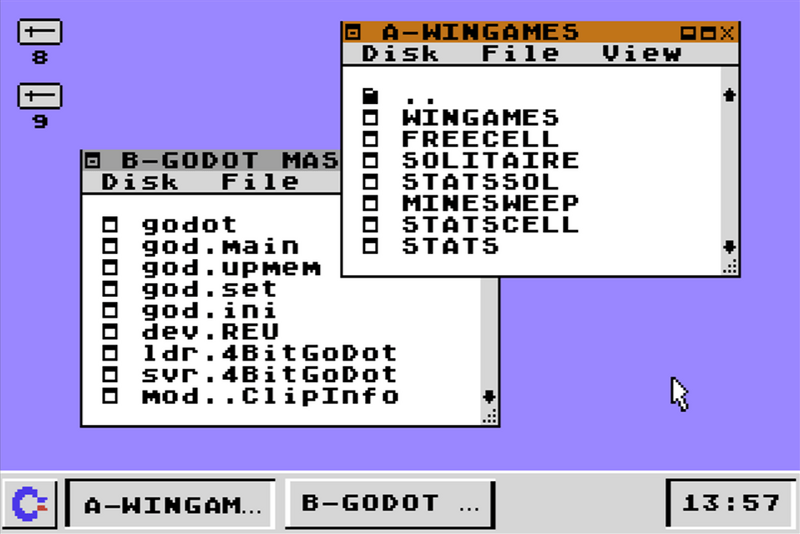
GUI64 uses the Commodore 64’s native character mode for fast and lightweight performance, avoiding bitmap graphics entirely.
Final Thoughts
All of these systems – from the early, ambitious GEOS to the actively developed C64 OS – chart a fascinating arc of ingenuity on an 8‑bit platform that was never meant to have this kind of range. They show how the C64 community has always been willing to stretch the machine’s limits: adding GUIs where none existed, inventing faster firmware to tame sluggish drives, bolting on network stacks, or building all‑in‑one cartridges that turned the computer into a Swiss‑army tool.
Each environment reflects the era and need that shaped it:
- 1980s icons like The Final Cartridge III gave instant utility and style to everyday users.
- Productivity suites like GEOS, Wheels, and MegaPatch 3 aimed to make the C64 competitive in “serious” computing.
- Specialised projects like Contiki explored brand‑new capabilities such as internet access.
- Low‑level accelerators like JiffyDOS and CS‑DOS quietly made every workload snappier.
- Modern entrants like C64 OS and GUI64 prove there’s still life – and room for innovation – in this retro ecosystem.
Together, they’re a reminder that operating systems aren’t just about managing hardware; they’re about reimagining what a machine can be, even decades after its debut.
Discover more from The Universe of Commodore 64
Subscribe to get the latest posts sent to your email.
